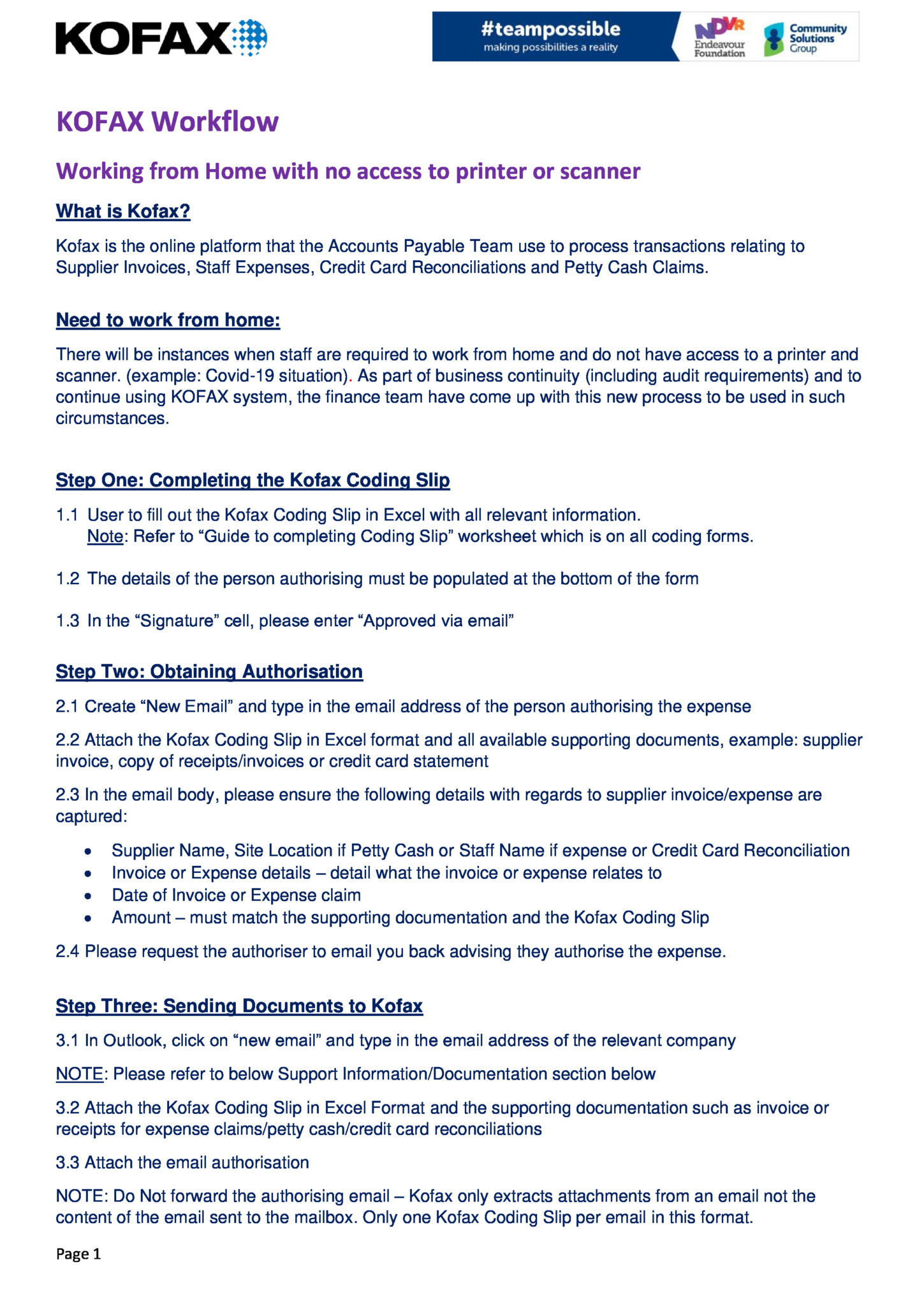
QF 6080.01 Stock Sheet
End of Financial Year: QF 6080.01 Stock Sheet
At Endeavour Foundation we use Microsoft Dynamics AX (DAX) as our finance system. On this page you will find information and resources to help you use Microsoft Dynamics AX

At Endeavour Foundation we use Microsoft Dynamics AX (DAX) as our finance system. On this page you will find information and resources to help you use Microsoft Dynamics AX
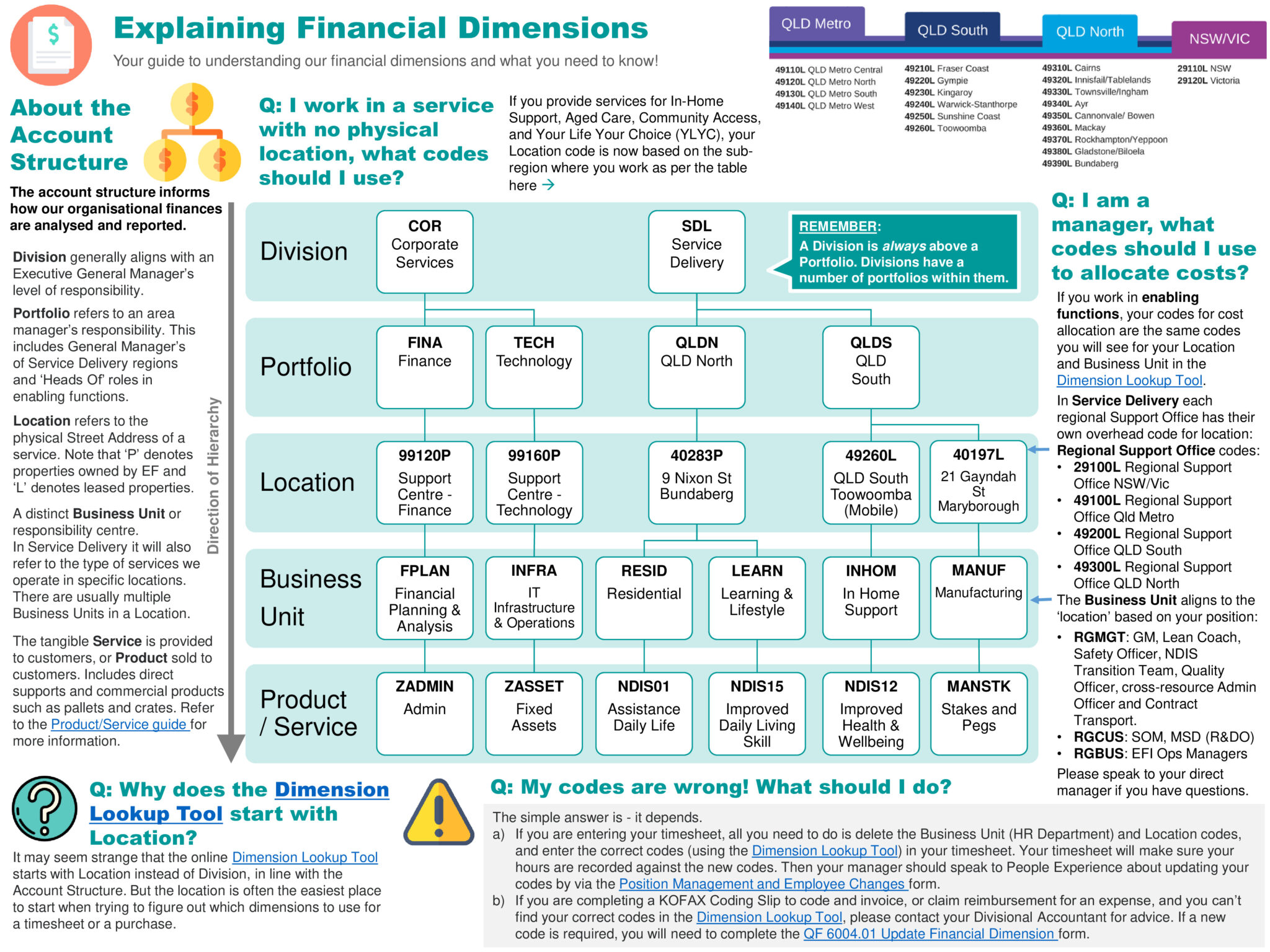
We use five financial dimensions for corporate transactions and services. This is designed produce targeted reports to effectively and accurately analyse our business.
Finding the right financial dimensions is as easy as typing common search terms in the Financial Dimension look-up tool. This tool will self-populate based on what you initially select.
For further information view this Financial Dimensions Quick Reference Guide.

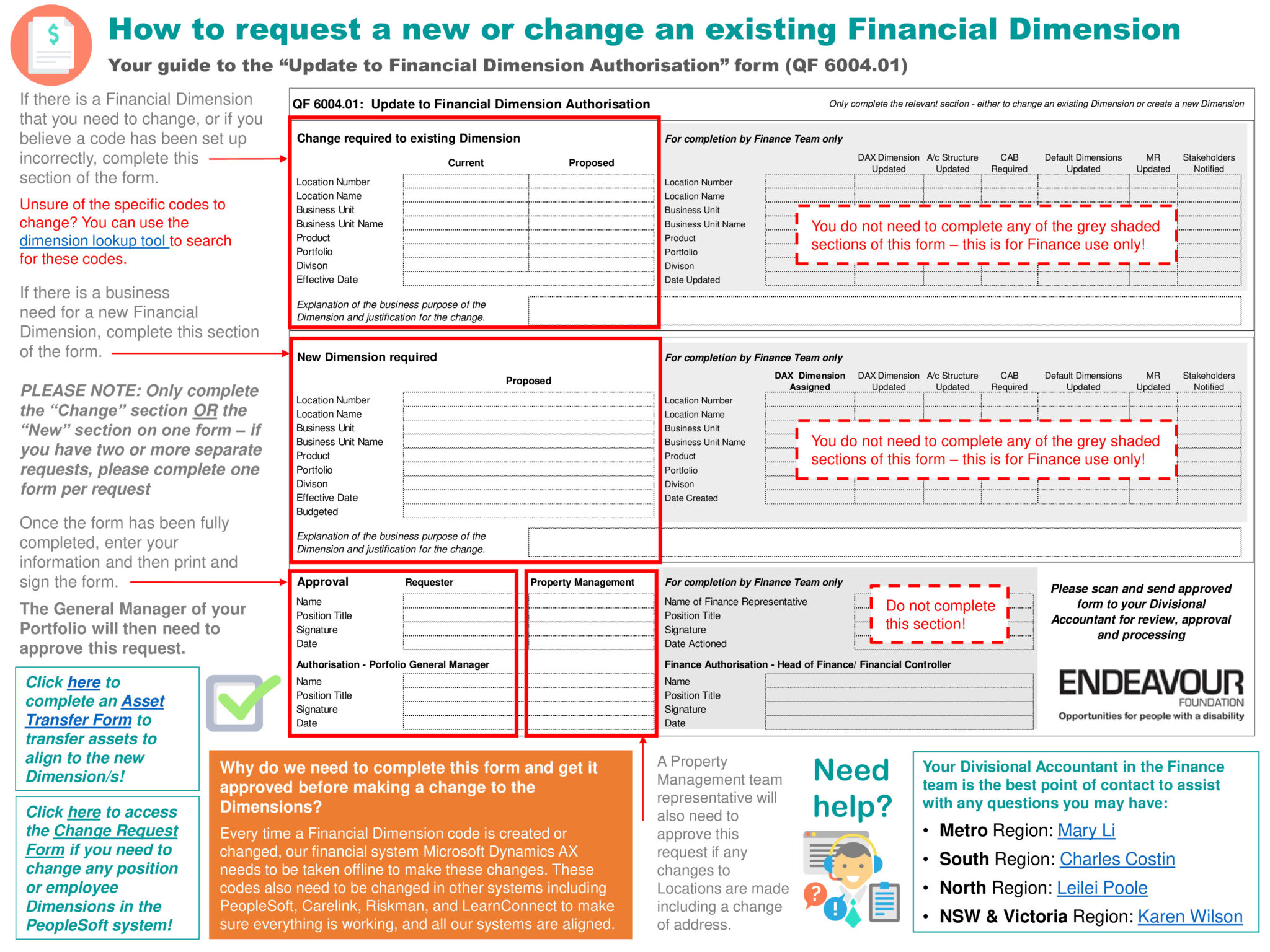
If there is a Financial Dimension that you need to change, or if you believe a code has been set up incorrectly, complete the Update to Financial Dimension Authorisation Form (QF 6004.01). For help completing this form, please refer to the one-page user guide.

If you need to add, change or remove access to Microsoft Dynamics AX, you will need to get approval first. Simply navigate to the #TeamPossible Support Hub to request access to DAX.