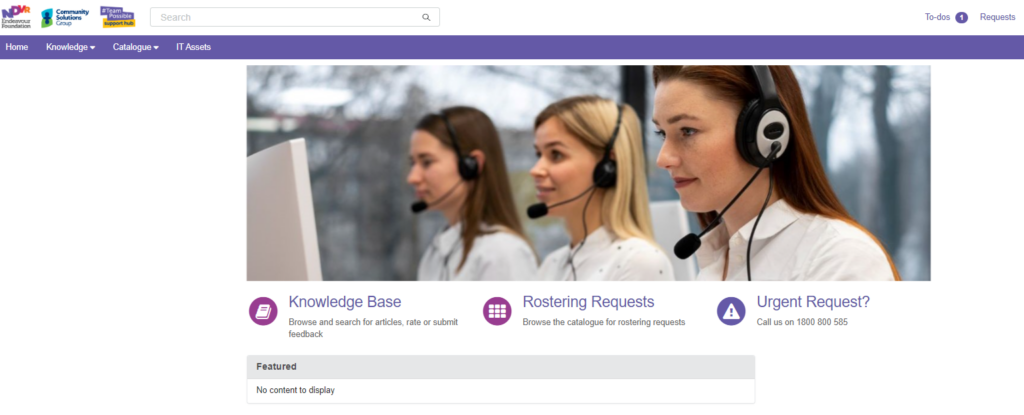
It is important that Service Delivery teams have the tools needed to provide support. The Rostering Support Hub offers streamlined rostering support, ensuring visibility of the status of requests and rapid response times to roster enquiries.

Rostering Support Hub Updates
Have you seen the new Rostering Support Hub updates? We’ve made it even easier for you to submit catalogue item requests and issues.

Using the Rostering Support Hub
The Rostering Support Hub allows you to track the status of your enquiry, get updates when your request is completed and request roster changes for your team or people you support. You can submit roster requests relating to:
- Irregular support requests
- SIL, L&L and Community rosters
- Connection employees into meeting and training
- Leave for people we support
- Leave for employees
- CPI requests
The Rostering Support Hub is accessible on mobile devices, meaning you can make updates and requests on the go.

Training and Information
Take a look at our Rostering Hub information session to learn about the Rostering Support Hub.
If you do require further support you can speak to your leader in the first instance or reach out to your regional Rostering Officer or Rostering Team Lead.

FAQs
What is the Rostering Support Hub?
The Rostering Support Hub works in a similar way to both the ICT and People and Wellbeing Support hubs. Employees will be able to submit rostering requests in relation to:
- Irregular support requests
- SIL, L&L and Community rosters
- Connection employees into meeting and training
- Leave for people we support
- Leave for employees
- CPI requests
When do I use the Rostering Support Hub?
You can use the Rostering Support Hub to:
- Track the status of roster enquiries
- Receive notifications when requests have been completed
- Request roster changes for the people you support or your team
- Receive communication from Rostering regarding the status of your request, or a request for additional information
Why have we created the Rostering Support Hub?
It is important our service delivery teams have the tools needed to provide support.
We identified the way that we deal with roster enquiries was not efficient or helpful to service delivery teams. After some investigation, the Rostering Support Hub was the best solution for service delivery teams to access the help and resources needed to do their job well.
Where do I find the Rostering Support Hub?
The hub is located on the Intranet homepage under the Quicklinks section. You can also find the link at the top of this page.
Click on the #TeamPossible Support Hub icon and the Support Hub will open.
Then click on the “I need Rostering support” option to opening the Rostering Support Hub.
Do I use the hub for urgent requests?
No, the hub is not designed for urgent requests. Please call Rostering on 1800 800 585 if your request is required within two (2) business days.
What happens if I forget my password?
Will I receive notifications when my request is submitted?
Yes, you will receive an email notification with the request ID number and request details
Does the request need to be approved by my leader?
No, the forms have been created to have no approval required.
Can I still send Rostering an email?
The Rostering Support Hub has been created to allow for easy communication with Rostering, therefore the rostering mailbox is not frequently monitored.
Where can I find information on how to use the portal?
You can refer to the Rostering Support Hub User Guide for step-by-step instructions on how to use the hub.
Who can I contact if I have questions about the hub?
If you have any questions, please reach out to the Rostering Team Lead or your regional Rostering Officer.
Resources
View all Rostering Support Hub – FAQs

Rostering Support Hub – Frontline User Guide
User guides for frontline staff on using the Rostering Support…
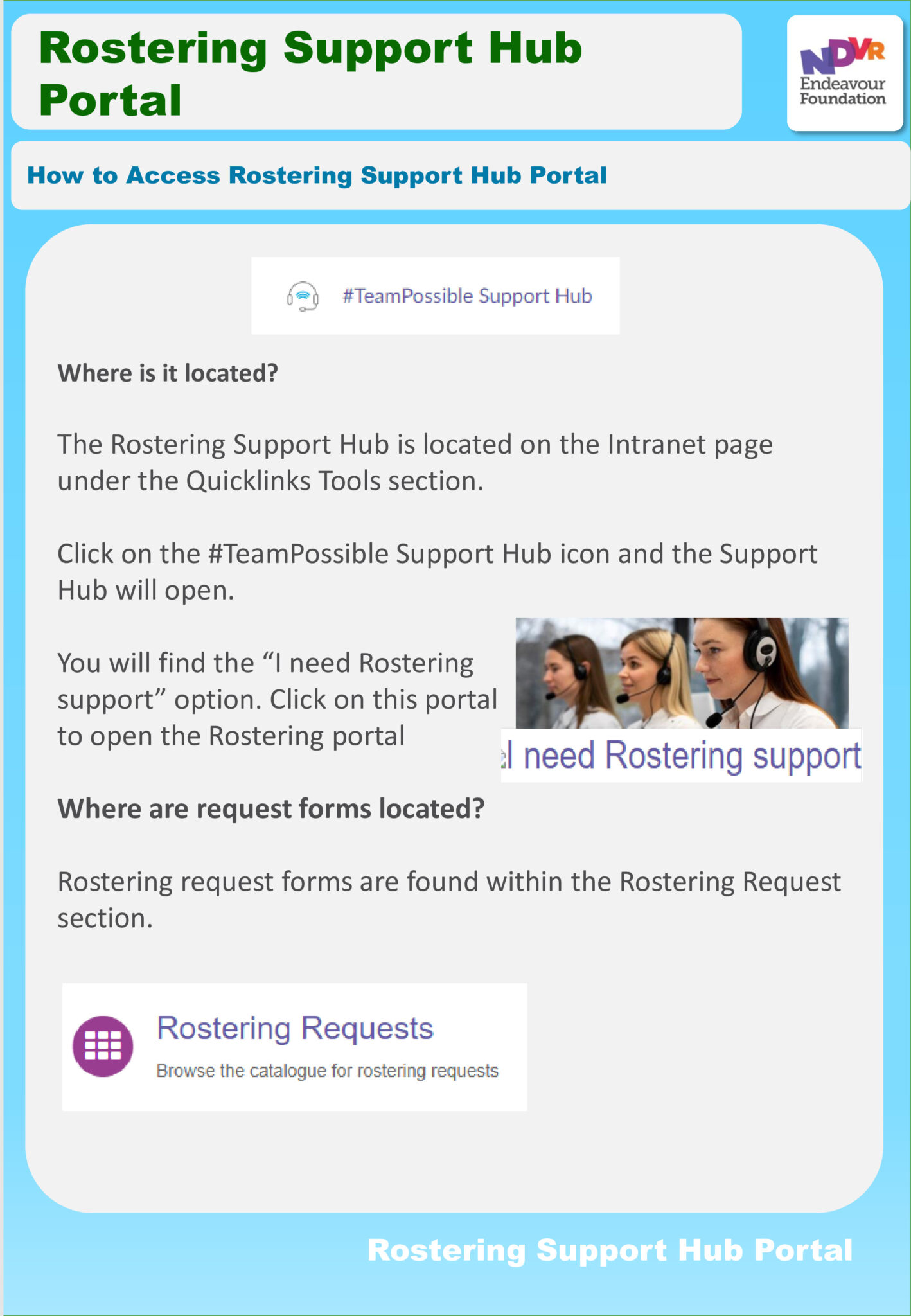
Rostering Support Hub – One Page Guides
See our suite of one-page guides to help you use…
CarelinkGO Rostering and Tech Help for Support Workers
Rostering and Tech Help for Support Workers
CarelinkGO User Guide – Rostering Officers
User Guide for Rostering Officers
People and Wellbeing Leader Guide – Contracted hours and Roster Changes
Employees receive an employment contract with contracted hours stipulated. Both…